Architects often download open CAD sources and use them to draw plans.
In doing so, they repeatedly perform the task of
moving design elements such as windows and doors to the desired location and
drilling holes in the wall at that location.
This is a highly unproductive task. Many architects, and designers who work in a similar way, are exposed to such repetitive work, which leaves them exhausted and often forces them to stay up all night.
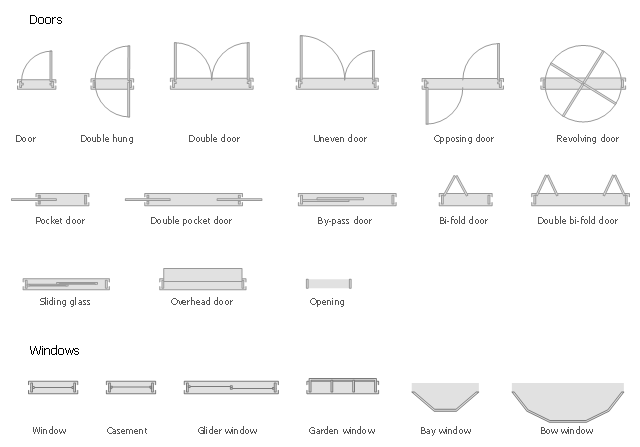
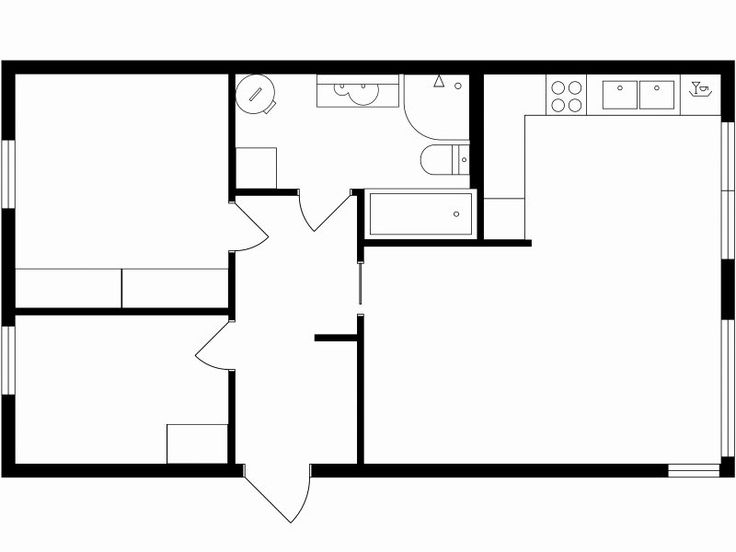 Window blocks
From the left, Blocks · Floor plan
A large number of CAD block sources are available. Each block is distinguished by layers according to its usage. For example, a window block contains the following elements:
- frames
- glass panes
- boundary
- elevation lines
- center lines
Through these common elements shared by windows, all windows with different appearances can be integrated into a single
object. The following image shows part of that task.
The window converted to an object is shown below.
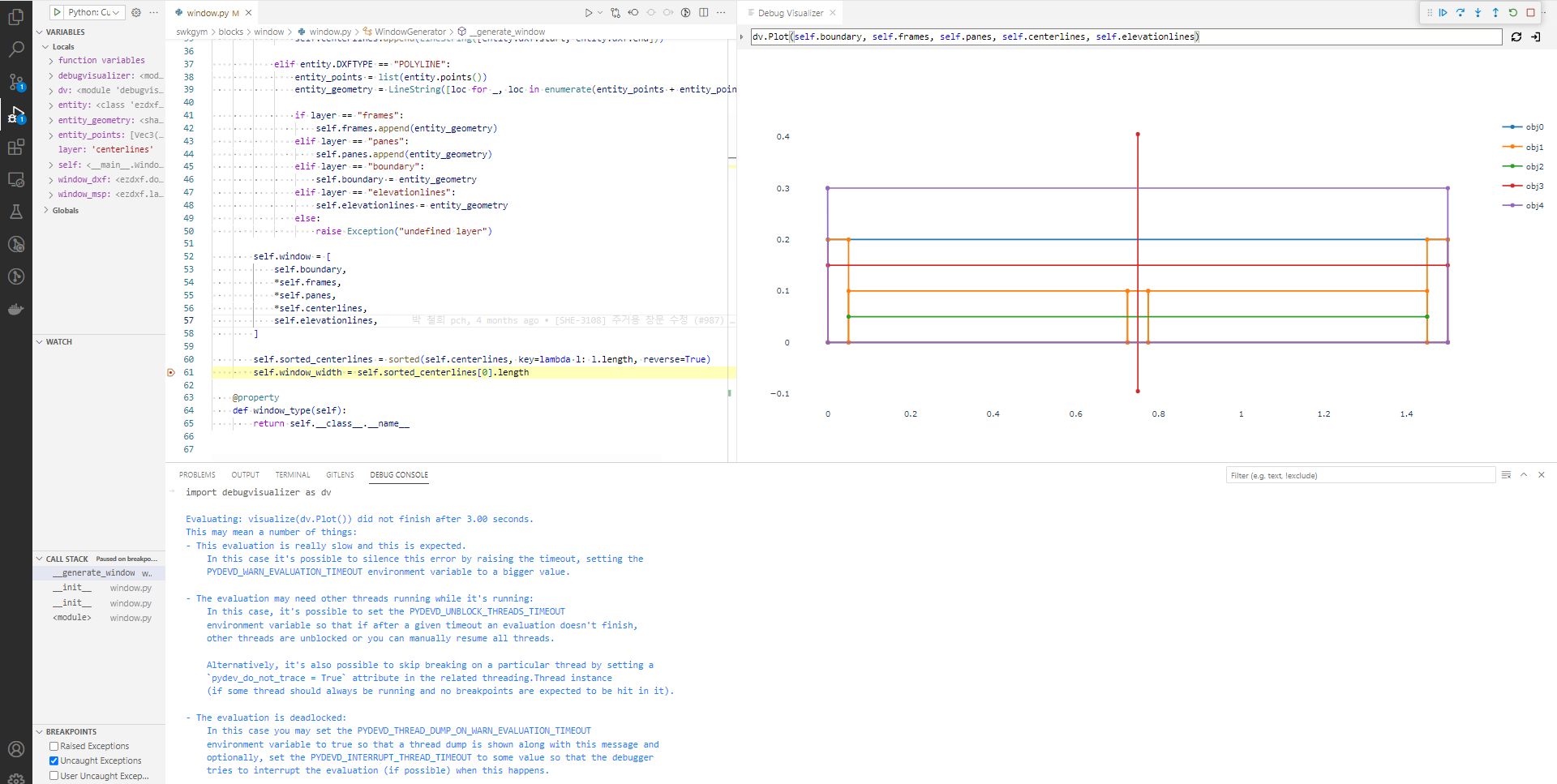 Window object
Visualize elements of the window using Debug Visualizer
A window object containing all information about the window was created using
ezdxf and
shapely.
With this object, the remaining work is to define a function that places a window at the desired location and drills the walls.
The procedure is simple. First, the angle of the wall is calculated and the geometries are rotated to match that angle.
Finally, a translation vector is constructed and the window is translated into place.
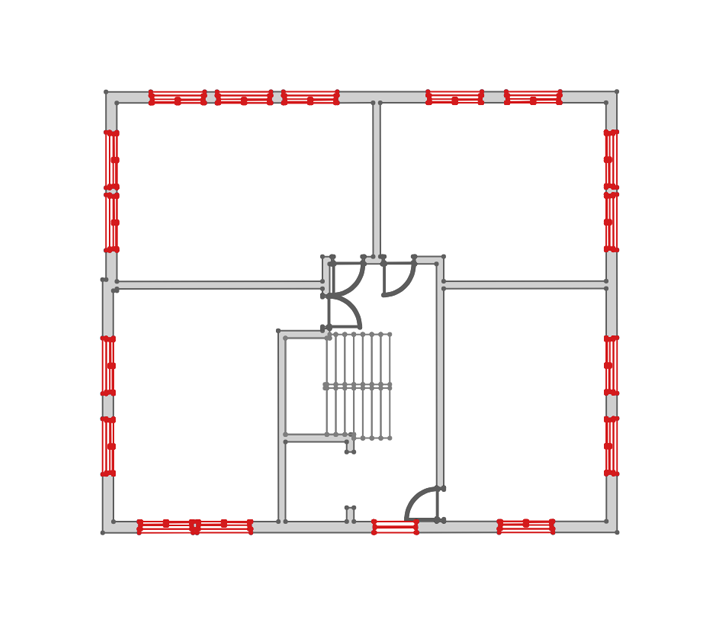
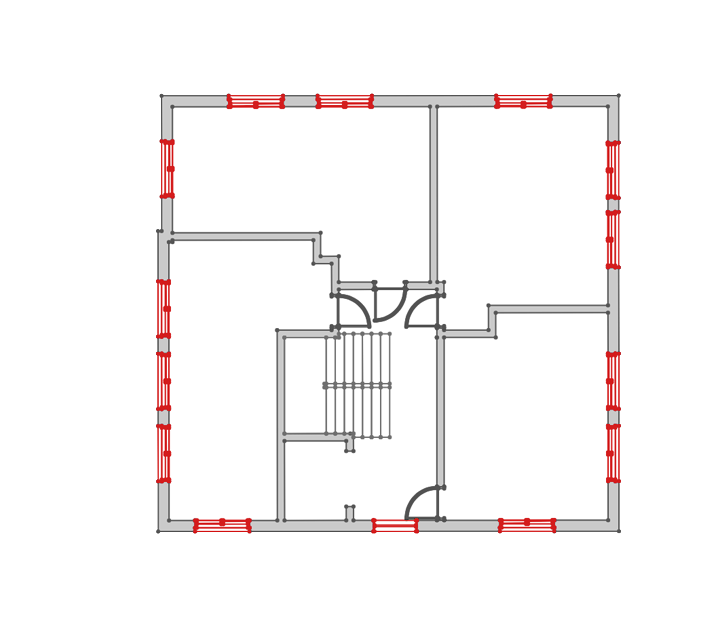 Windows placed on the wall