An edge is a boundary line or an outline. In an image, an edge refers to a region located where the brightness changes from a low value to a high value, or vice versa.
Ultimately, an edge indicates the boundary of an object in an image and contains various information, such as cues for shape and direction detection.
Edge detection is the process of finding the pixels that correspond to an edge.
It includes a variety of mathematical methods that aim to identify edges, that is, curves in a digital image at which the image brightness changes sharply or, more formally, has discontinuities.
 Lenna
Lenna
Lenna (or Lena) is a standard test image used in the field of digital image processing
An image of a
floor plan can be converted into
vector data and then modeled in 3D, using the
Edge Detection with OpenCV described above. The following sections describe the implementation.
Image binarization is the operation that sets each pixel of an image to either 0 or 255 (here, 0 means black and 255 means white).
Binarization serves the following purposes:
- It separates the background from the object.
- It separates the region of interest (ROI) from the region of non-interest.
In the binarization of a grayscale image, a pixel value above the
threshold is set to 0 (black), and a value below the threshold is set to 255 (white).
OpenCV, one of the most popular computer vision libraries, provides these functions.


 Preprocessing sequence
From the left, Original floor plan image · Applied threshold · Eroded and dilated image
The pre-processing is completed by first cleaning the image with a threshold and then removing the remaining elements except for the walls, using image
erosion and
dilation.
The
erosion operation usually uses a structuring element to probe and reduce the shapes contained in the input image, whereas the
dilation operation expands the shapes.
The code related to the pre-processing can be found
here.

 Erosion and Dilation
From the top, Erosion operation · Dilation operation
After all the preprocessing described above has been completed, the
coordinates of the outer wall can be extracted through edge detection with OpenCV.
The code is shown below. In this code,
Shapely, a geometry-handling library, is used to simplify the geometries.
    def get_wall_coordinates(self) -> List[List[Tuple[int]]]:
        """Converts list of coordinates to list of polygon"""

        contours, _ = cv2.findContours(self.wall_image_cleaned, cv2.RETR_CCOMP, cv2.CHAIN_APPROX_SIMPLE)

        image_boundary_area = (self.wall_image_cleaned.shape[0] - 1) * (self.wall_image_cleaned.shape[1] - 1)

        wall_coordinates = []
        for contour in contours:

            coords = [[x, -y] for (x, y), *_ in contour]

            # if current contours are just line, skip
            if len(coords) <= 2:
                continue

            wall_geometry = Polygon(coords).simplify(self.TOLERANCE_SIMPLIFY)

            # Skip the image's boundary coordinates.
            if np.isclose(wall_geometry.area, image_boundary_area):
                continue

            if wall_geometry.area >= self.MIN_AREA_GEOM:
                wall_coord = list(wall_geometry.boundary.coords)
                wall_coordinates.append(wall_coord)

        return wall_coordinates
Grasshopper does not support external libraries. To use other packages, an API server (Flask, Django, FastAPI, etc.) can be run instead.
The following Flask app was therefore defined.
This is an API that returns the wall coordinates of a given image. The external library defined here can then be used through
ghpython.
    @app.route("/p2m/<path:image_path_param>")
    def p2m(image_path_param):
        """convert plan to model"""

        return jsonify({"wall_coordinates": P2M(image_path_param).wall_coordinates})
Finally, the only remaining step is to model the information about the outer wall line in 3D. Further details of this project can be found in the
repository.
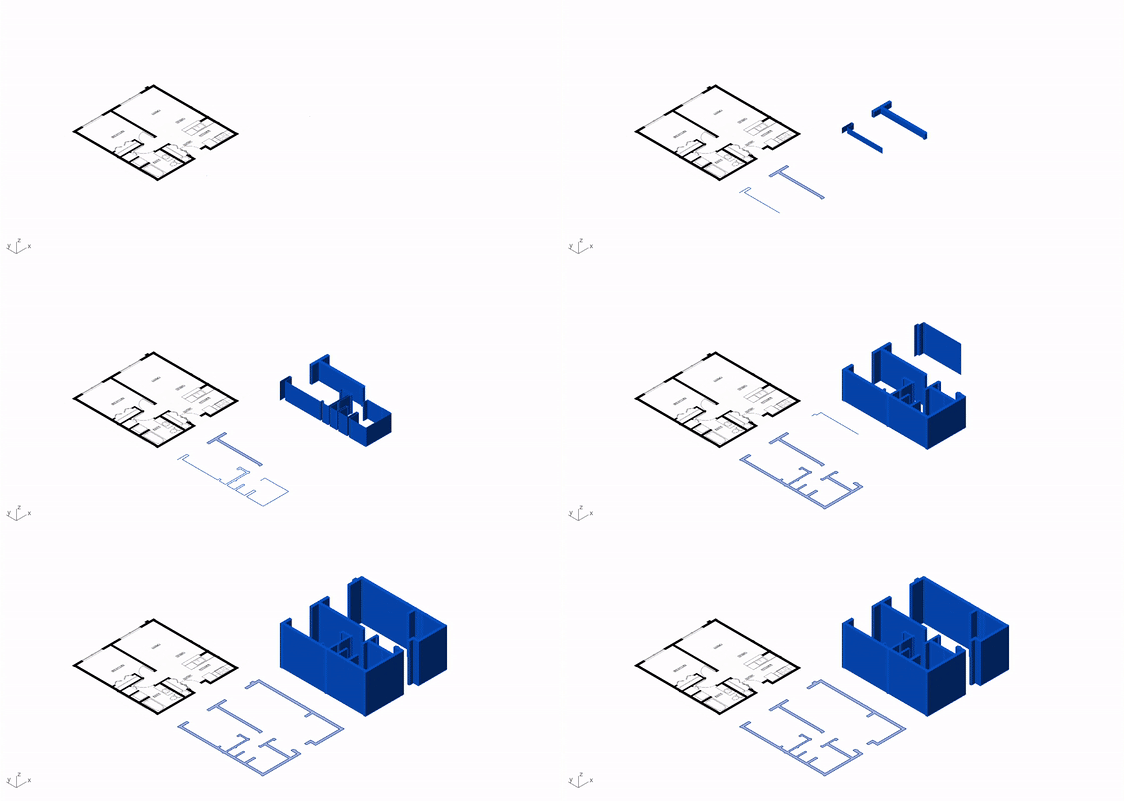
 Plan to model