1. After reading the shapefile in QGIS, the necessary parts are extracted and converted to the
GeoJSON file format.
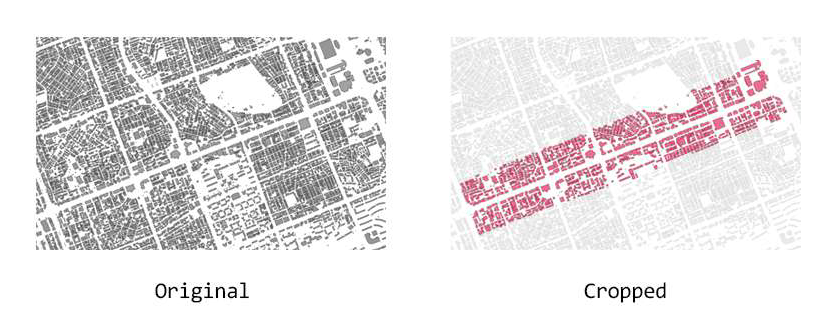 Getting GeoJSON
2. The GeoJSON file is read and the geometry is parsed. The GeoJSON file contains
information about the coordinates of the geometry, as shown below.
    {
        "type": "Feature",
        "properties": {
          "fid": 1,
          "UFID": "2007203361814441481500000000",
          "BLD_NM": null,
          "DONG_NM": null,
          "GRND_FLR": 2,
          "UGRND_FLR": 1,
          "PNU": "1168010100107250000",
          "ARCHAREA": 660.15,
          "TOTALAREA": 1658.86,
          "PLATAREA": 1120.5,
          "HEIGHT": 11.7,
          "STRCT_CD": "31",
          "USABILITY": "04000",
          "BC_RAT": 58.92,
          "VL_RAT": 89.13,
          "BLDRGST_PK": "13678",
          "USEAPR_DAY": "20070919",
          "REGIST_DAY": "20170126",
          "GB_CD": "0",
          "VIOL_BD_YN": "0",
          "GEOIDN": "B001000000012VJ72",
          "BLDG_PNU": null,
          "BLDG_PNU_Y": null,
          "BLD_UNLICE": null,
          "BD_MGT_SN": "1168010100107250000000001",
          "SGG_OID": 88,
          "COL_ADM_SE": "11680"
        },
        "geometry": {
          "type": "MultiPolygon",
          "coordinates": [
            [
              [
                [
                  203363.80399999954,
                  444161.7009999994
                ],
                [
                  203374.61099999957,
                  444132.4120000005
                ],
                [
                  203370.07699999958,
                  444130.8049999997
                ],
                [
                  203369.24399999995,
                  444133.0610000007
                ],
                [
                  203360.2910000002,
                  444129.7589999996
                ],
                [
                  203349.7740000002,
                  444158.78800000064
                ],
                [
                  203353.74199999962,
                  444159.82499999925
                ],
                [
                  203358.7089999998,
                  444166.6199999992
                ],
                [
                  203357.61400000006,
                  444169.4350000005
                ],
                [
                  203360.32600000035,
                  444172.8259999994
                ],
                [
                  203364.4759999998,
                  444161.9489999991
                ],
                [
                  203363.80399999954,
                  444161.7009999994
                ]
              ]
            ]
          ]
        }
      }
3. Next, the program
parses the information about the height of the building and creates the geometry through the following process:
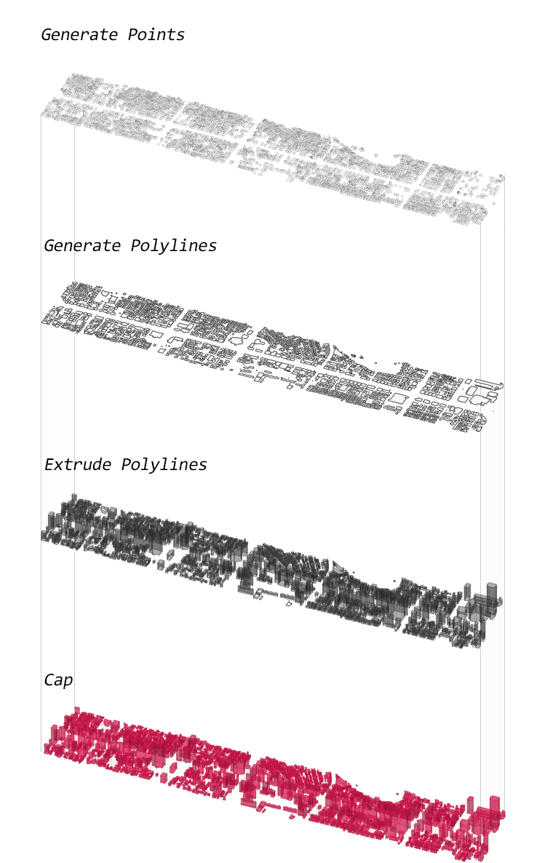 Process of mass generation
4. The result is the image shown below. The buildings can also be visualized by height, registration date, structure, usability, and other attributes.
The full code is available
here.
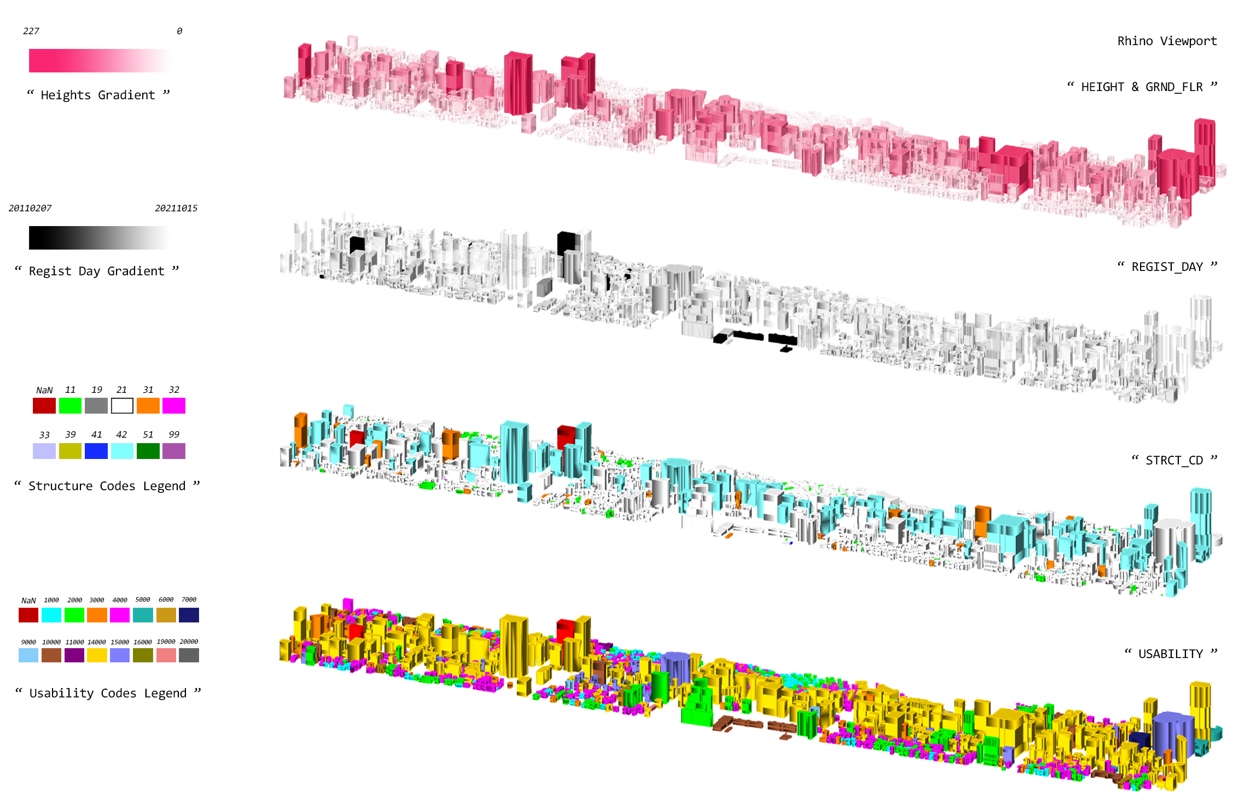 Visualized result
From the top, building height · building registration date · building structure · building usability