Landbook is a service that supports the entire process of new construction development for small and medium-sized land investors.
Landbook's AI architect service provides building owners with various architectural design proposals
by considering different plot sizes, zoning areas, and building regulations for each region.
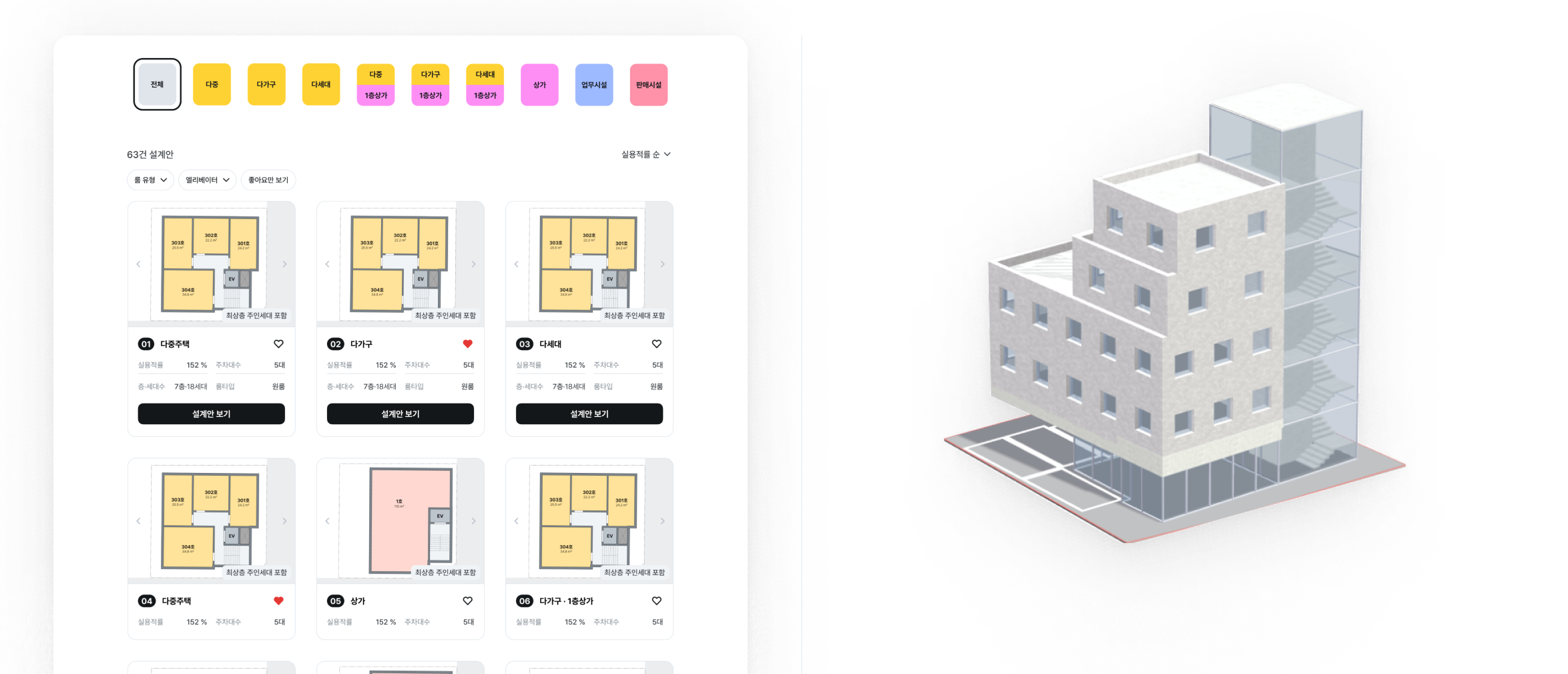 Landbook's AI architect service
This project develops a pipeline that
renders the final results of the Landbook AI architect service using a generative image model such as Diffusers.
By taking 3D modeling data as input and generating realistic images that resemble actual buildings,
it allows building owners to visualize and review how their design proposals would look after construction.
Unlike conventional architectural 3D rendering tools such as V-Ray and Enscape, this pipeline aims to provide high-quality visualization that considers both building textures
and the surrounding context by using AI-based generative models.
The pipeline below ensures that the final output not only represents the architectural design accurately
but also provides a realistic visualization that helps building owners understand how the building will look after construction.
The pipeline consists of the following steps:
-
2D Plans Generation: The process begins with generating 2D floor plans that serve as the foundation for the building design.
-
3D Building Generation: The 2D plans are transformed into a 3D building model with proper dimensions and structure.
-
Three.js Plot: The 3D model is plotted in Three.js, allowing for interactive visualization and manipulation.
-
Camera Adjustment: The viewing angle and camera position are carefully adjusted to capture the building from the most appropriate perspective.
-
Scale Figures: Human figures, trees, and vehicles are added to provide scale reference and context to the scene.
-
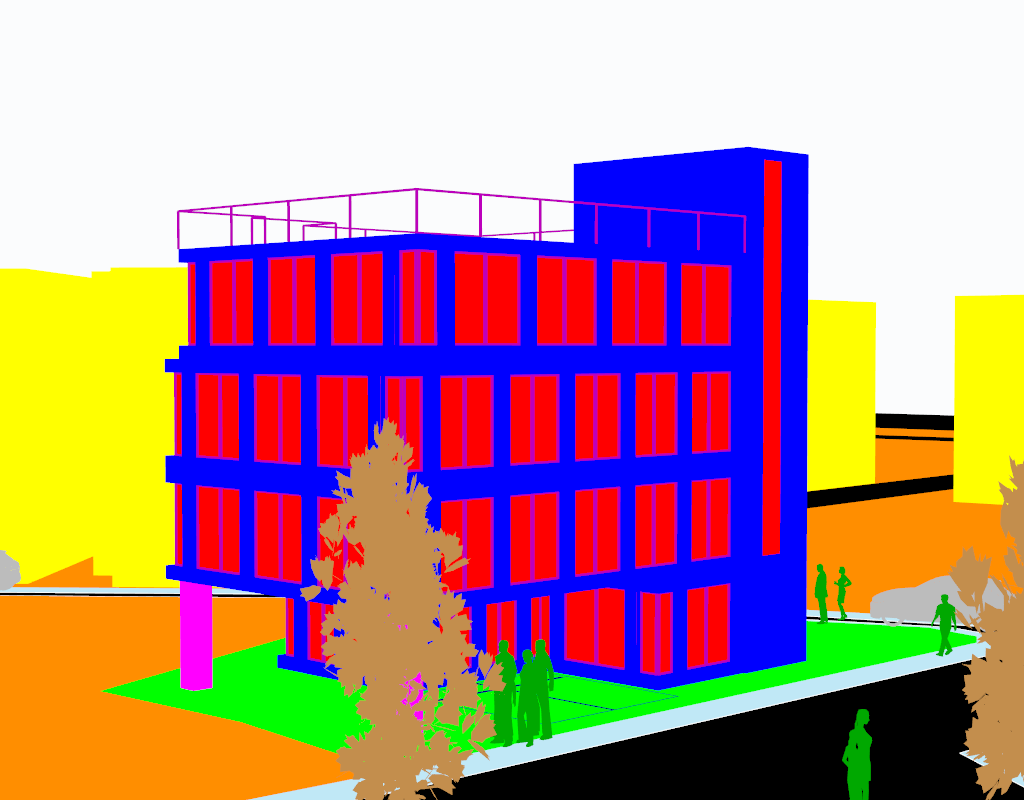
Masking: Different parts of the building and environment are masked with distinct colors to define materials and surfaces (shown in the color-coded visualization).
-
Canny Edge Detection: Edge detection is applied to create clear building outlines and structural details.
-
Highlighting: Important architectural features and edges are emphasized through highlighting.
-
Base Image Generation: A base image with proper shading and basic textures is created.
-
Inpainting & Refining: Multiple iterations of inpainting and refinement are performed to add realistic textures and details.
-
Final Rendering: The process concludes with a fully rendered, photorealistic visualization of the building design.
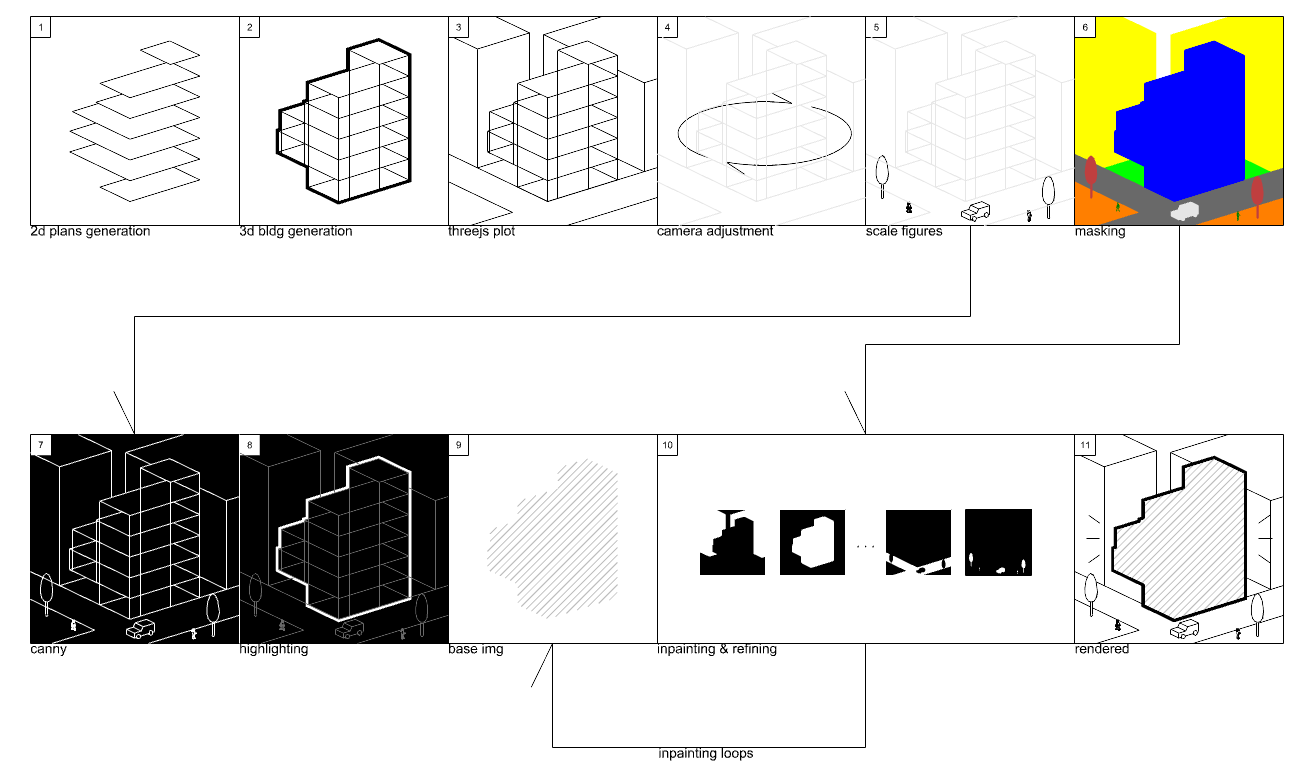 Pipeline Diagram
Camera position estimation is an important step for capturing the building from an effective viewpoint. The algorithm determines the camera position based on
the building dimensions, plot layout, and road positions.
-
Road-Based Positioning
-
The widest road adjacent to the building plot is identified.
-
The centroid of that road is used as a reference point for camera placement.
-
This ensures that the building is viewed from a natural street-level perspective.
-
Vector Calculation
-
A horizontal vector aligned with the widest road is created (X vector).
-
A vertical vector is created by rotating the horizontal vector by 90 degrees (Y vector).
-
Together, these vectors form the basis for determining the camera's viewing direction.
-
Height Determination and Distance Calculation
-
The optimal camera height is calculated using two criteria.
-
The maximum value between these criteria is selected to ensure proper building coverage.
-
Trigonometry is used to compute the ideal distance between the camera and the building, as follows.
\[
\tan(\theta) = \frac{h}{d}, \quad d = \frac{h}{\tan(\theta)}
\]
where \(d\) is the distance between camera and widestRoadCentroid, \(h\) is the height of the camera, and \(\theta = \frac{\text{fov}}{2} \times \frac{\pi}{180}\)
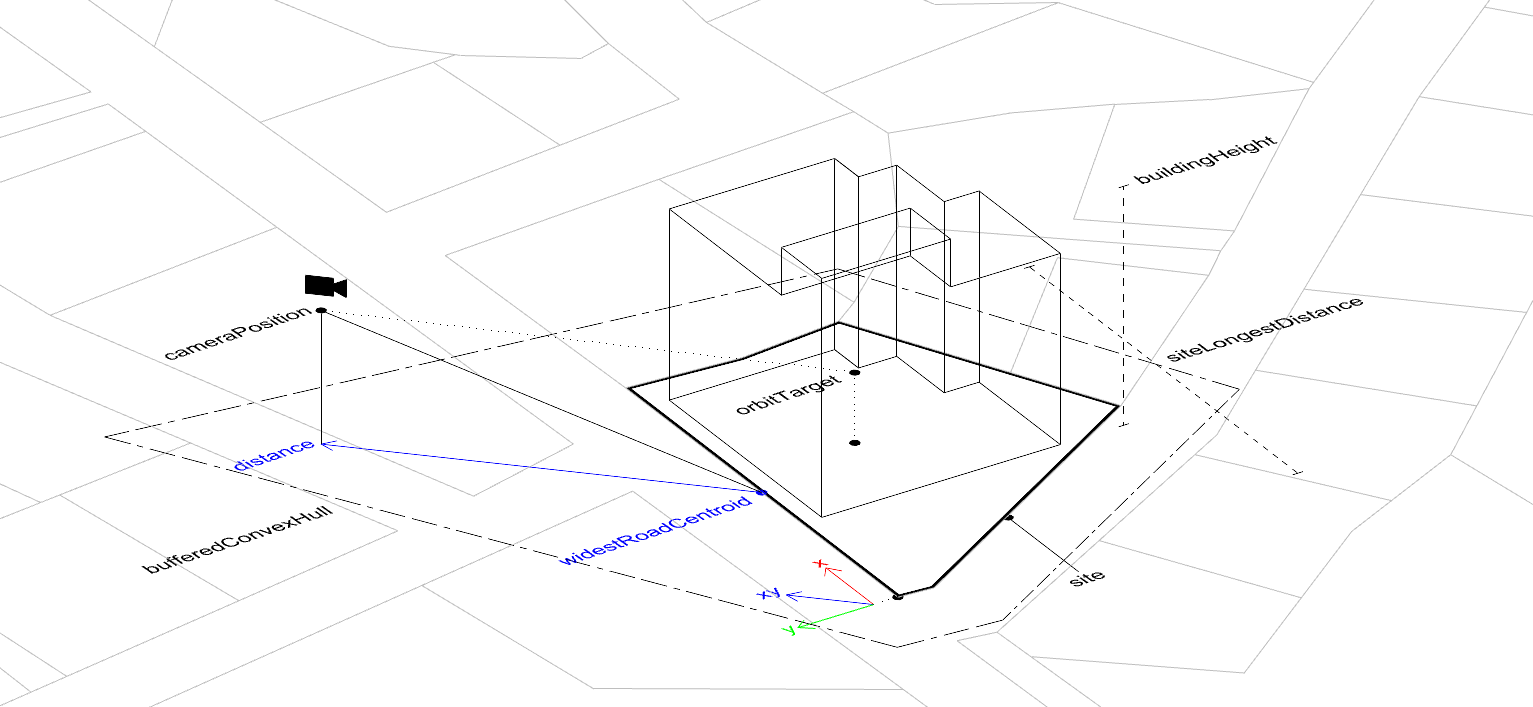 Camera Position Estimation Diagram
    const estimateCameraPosition = (
      data: BuildingStateInfo,
      buildingHeightEstimated: number,
      fov: number,
    ) => {

      const parcelPolygon = data.plotOutline

      // Obtain the widest road object.
      // The widest road object is computed by widthRaw + edgeLength
      let widestWidth = -Infinity;
      let widestRoad = undefined;
      data.roadWidths.forEach((road) => {
        if (widestWidth < road["widthRaw"] + road["edge"].getLength()) {
          widestWidth = road["widthRaw"]
          widestRoad = road
        }
      })

      // Get the centroid of the widest road
      const widestRoadCentroid = Util.centroid(widestRoad["edge"])

      // Get the coordinates of the widest road edge
      const widestRoadEdgeCooridntaes = widestRoad["edge"]._points._coordinates

      // X vector from the widest road edge direction
      const widestRoadEdgeHVector = {
        x: widestRoadEdgeCooridntaes[0].x - widestRoadCentroid.x,
        y: widestRoadEdgeCooridntaes[0].y - widestRoadCentroid.y,
      }

      // Compute the norm of the widest road edge vector
      const widestRoadEdgeHVectorNorm = Math.sqrt(widestRoadEdgeHVector.x ** 2 + widestRoadEdgeHVector.y ** 2)

      // Normalize X vector
      const widestRoadEdgeHVectorUnit = {
        x: widestRoadEdgeHVector.x / widestRoadEdgeHVectorNorm,
        y: widestRoadEdgeHVector.y / widestRoadEdgeHVectorNorm,
      }

      // Create Y vector by rotating the X vector 90 degrees
      const radian = 90 * Math.PI / 180;
      const widestRoadEdgeVVectorUnit = {
        x: widestRoadEdgeHVectorUnit.x * Math.cos(radian) - widestRoadEdgeHVectorUnit.y * Math.sin(radian),
        y: widestRoadEdgeHVectorUnit.x * Math.sin(radian) + widestRoadEdgeHVectorUnit.y * Math.cos(radian)
      }

      // Define height criteria
      const parcelLongestDistance = calculateLongestDistance(parcelPolygon)
      const heightCriterion1 = buildingHeightEstimated / 2
      let heightCriterion2 = parcelLongestDistance / 3


      (...)


      // Determine the camera height based on the height criteria
      const cameraHeight = Math.max(heightCriterion1, heightCriterion2);

      // Compute the distance. C is an arbitarary constant
      const distance = ((cameraHeight / 2) / Math.tan((fov / 2) * (Math.PI / 180))) * C;

      // Estimate the final camera position
      const position = new Vector3(
        widestRoadCentroid.x + (widestRoadEdgeHVectorUnit.x + widestRoadEdgeVVectorUnit.x) * distance,
        Math.max(-cameraHeight / 2, -10),
        widestRoadCentroid.y + (widestRoadEdgeHVectorUnit.y + widestRoadEdgeVVectorUnit.y) * -distance
      );

      return position
    }
Scale figures serve as important contextual elements that help the diffusion model generate more realistic architectural images.
By adding human figures, trees, and vehicles to the scene,
the model is given reference points that help it understand the
spatial relationships and scale of the architecture it needs to generate.
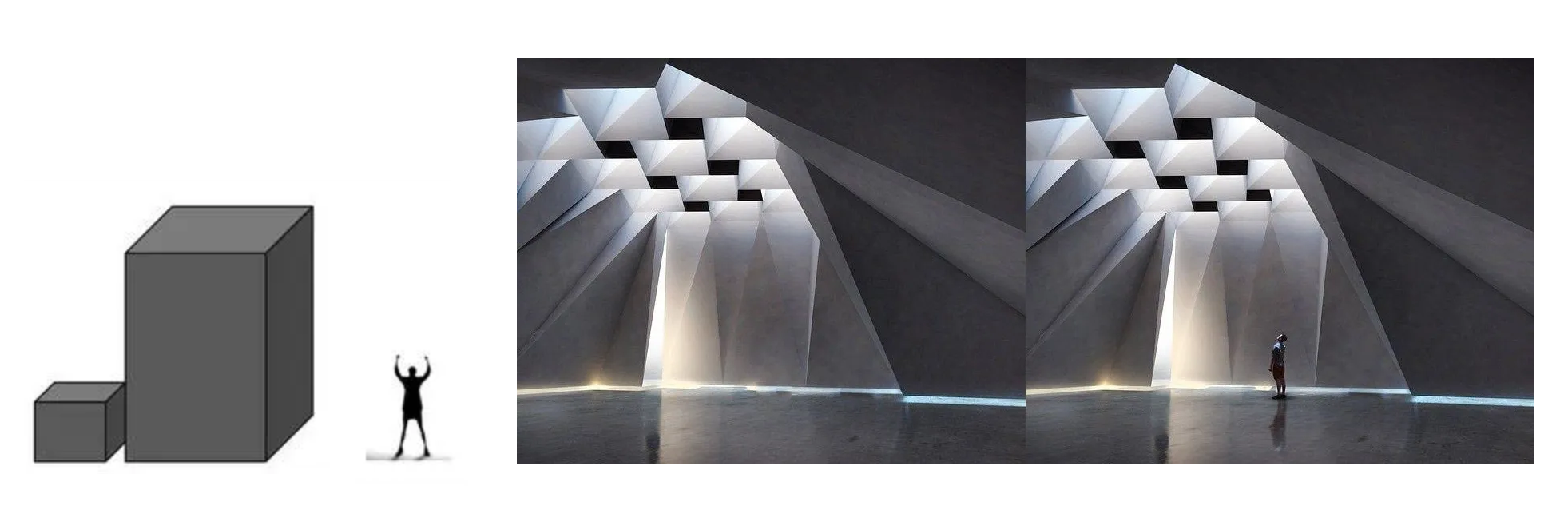 Scale Figures
The presence of these contextual elements also guides the model in generating appropriate lighting, shadows, and atmospheric effects.
When the model sees a human figure or a tree in the scene, it can
better estimate the lighting and environmental interactions that should appear in the final rendering.
This helps create more convincing and naturally integrated architectural images.
In this pipeline, these scale elements are placed before the diffusion process begins so the model can use them as size references.
The model uses these references to better understand the intended size and proportion of the building,
which improves the quality and accuracy of the generated images.
Human figures are particularly important because they provide a clear
scale reference that helps maintain consistent and realistic proportions during the generation process.
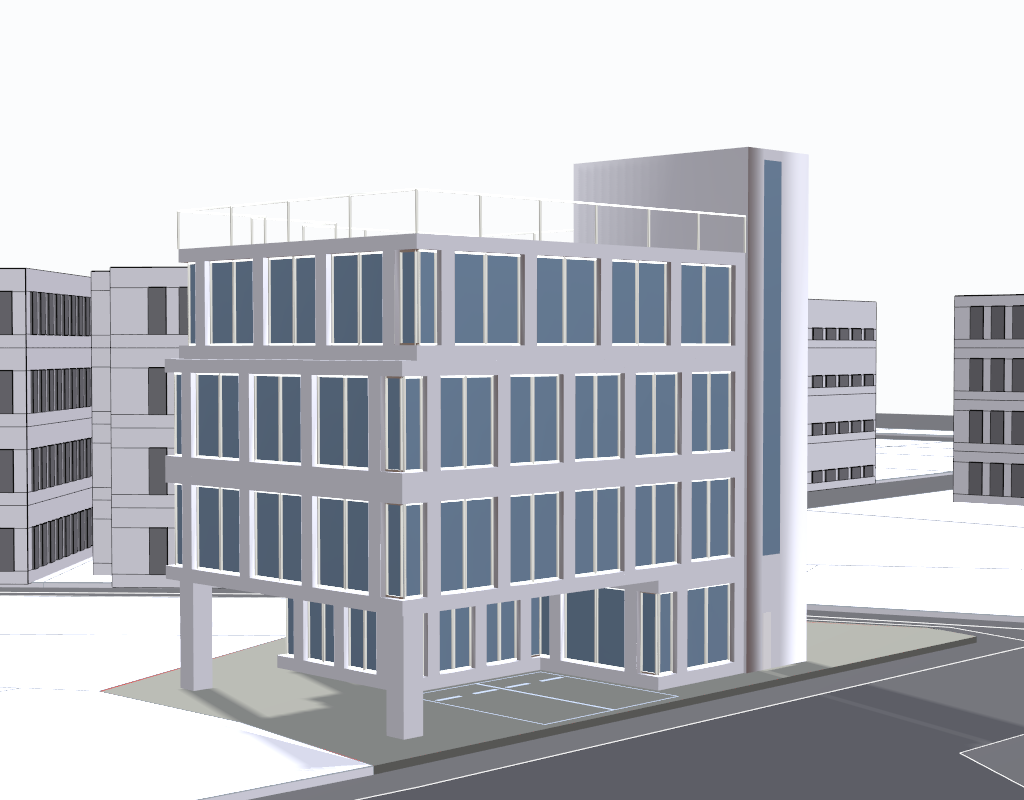
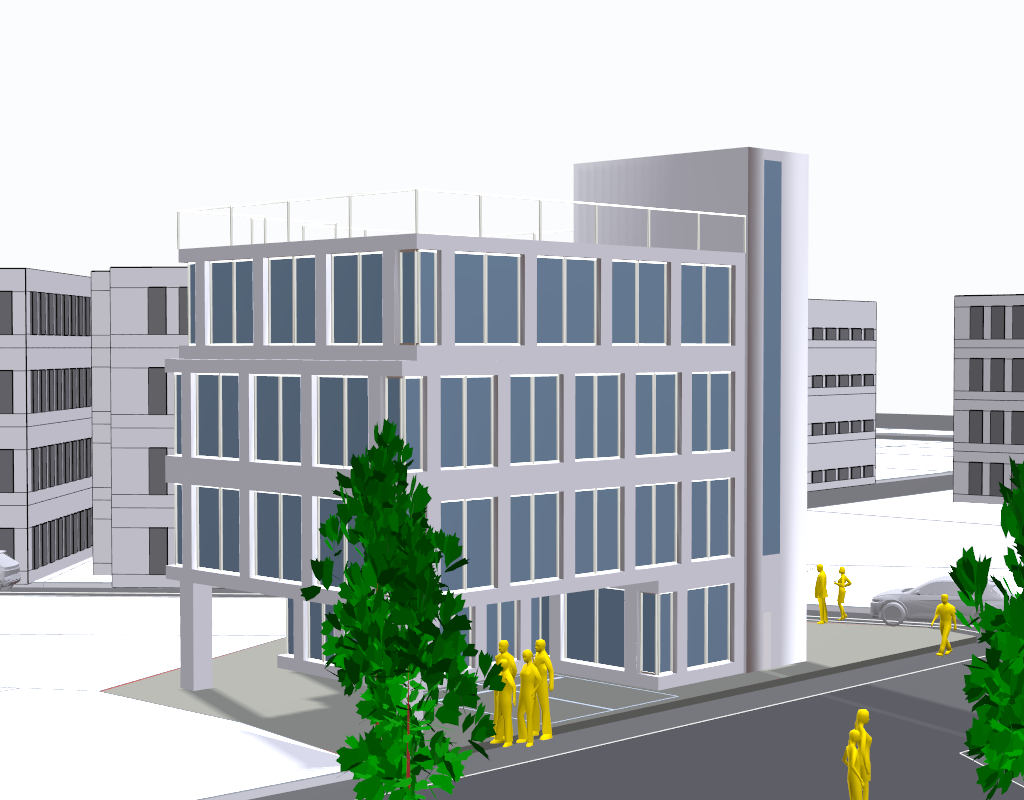 Landbook AI Architect result with and without scale figures
ShaderMaterial provided by three.js is used to mask the materials of the building and the environment.
ShaderMaterial is a material rendered with custom shaders, which are small programs written in GLSL that run on the GPU.
Using ShaderMaterial, specialized masking materials are created by assigning specific colors to different architectural elements.
These masking materials segment the 3D model into distinct parts so that each part can be processed separately by the diffusion model.
 Material Masking
    const createMaskMaterial = (color: number) => {
      return new THREE.ShaderMaterial({
        uniforms: {
          color: { value: new THREE.Color(color) }
        },
        vertexShader: `
          void main() {
            gl_Position = projectionMatrix * modelViewMatrix * vec4(position, 1.0);
          }
        `,
        fragmentShader: `
          uniform vec3 color;
          void main() {
            gl_FragColor = vec4(color, 1.0);
          }
        `
      });
    };

    export const glassMaskMaterial = createMaskMaterial(0xff0000);                   // red
    export const glassPanesMaskMaterial = createMaskMaterial(0x00ffff);              // cyan
    export const columnsMaskMaterial = createMaskMaterial(0xff00ff);                 // magenta
    export const wallMaskMaterial = createMaskMaterial(0x0000ff);                    // blue
    export const surroundingBuildingsMaskMaterial = createMaskMaterial(0xffff00);    // yellow
    export const surroundingParcelsMaskMaterial = createMaskMaterial(0xff8e00);      // orange
    export const roadMaskMaterial = createMaskMaterial(0x000000);                    // black
    export const siteMaskMaterial = createMaskMaterial(0x00ff00);                    // green
    export const railMaskMaterial = createMaskMaterial(0xbc00bc);                    // purple
    export const carMaskMaterial = createMaskMaterial(0xbcbcbc);                     // gray
    export const treeMaskMaterial = createMaskMaterial(0xc38e4d);                    // brown
    export const personMaskMaterial = createMaskMaterial(0x00a800);                  // darkgreen
    export const pathMaskMaterial = createMaskMaterial(0xc0e8f6);                    // skyblue
    export const parkingLineMaskMaterial = createMaskMaterial(0x000080)              // darkblue
The diffusion process in this pipeline uses multiple models from the
HuggingFace Diffusers library to generate photorealistic architectural images.
The process consists of three main stages: initial generation, targeted inpainting, and final refinement.
The pipeline begins with
StableDiffusionXLControlNetPipeline using a
ControlNet model trained on
canny edge detection.
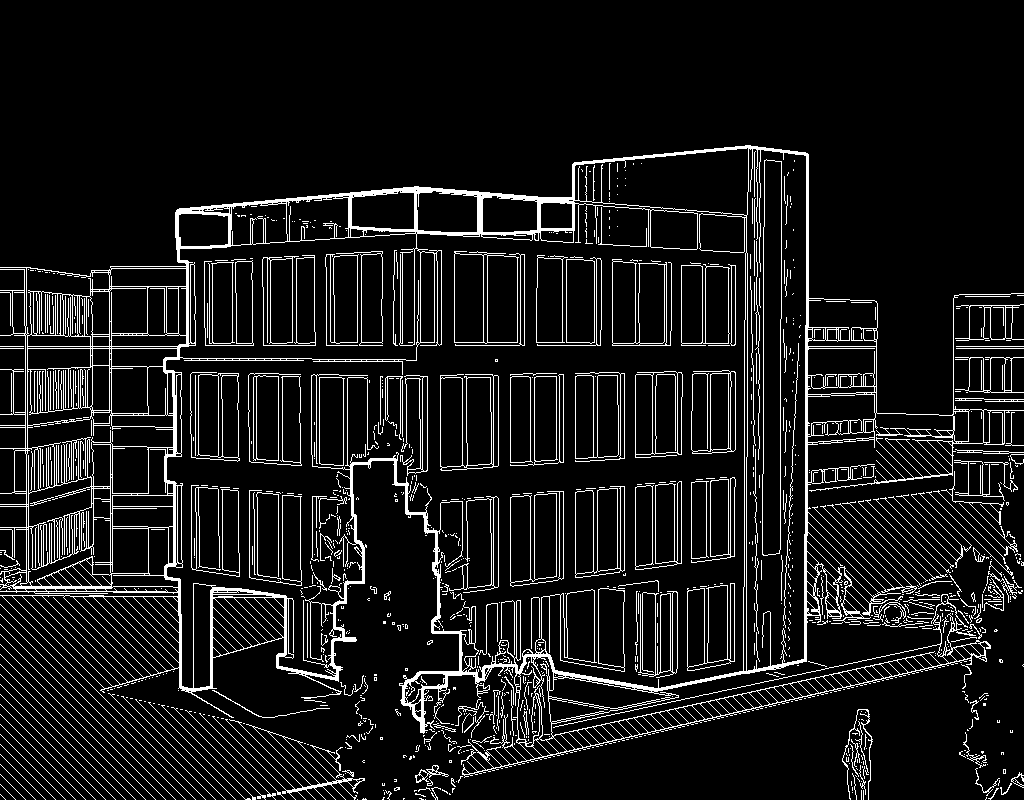 Canny edge detection, highlighting the main building, hatching some parts
This stage uses edge information from the 3D model to create a base image.
The
ControlNet ensures that the generated base image follows the geometric outlines of the building design with the help of the prompt:
    self.prompt_positive_base = ", ".join(
        [
            "<>",
            "[Bold Boundary of given canny Image is A Main Building outline]",
            "[Rich Street Trees]", "[Pedestrians]", "[Pedestrian path with hatch pattern paving stone]",
            "[Driving Cars on the asphalt roads]", "At noon", "[No Clouds at the sky]", "First floor parking lot",
            "glass with simple mullions", "BLENDED DIVERSE ARCHITECTURAL MATERIALS", "Korean city context",  "REALISTIC MATERIAL TEXTURE",
            "PROPER PERSPECTIVE VIEW",  "PROPER ARCHITECTURAL SCALE", "8k uhd", "masterpiece", "[Columns placed at the corner of the main building]"
            "best quality", "ultra detailed", "professional lighting", "Raw photo", "Fujifilm XT3", "high quality",
        ]
    )
After the initial generation, the pipeline performs a series of targeted inpainting operations using
StableDiffusionXLInpaintPipeline.
The inpainting process follows a specific order to process different architectural elements.
Each inpainting step uses prompts and masks to generate appropriate material textures and architectural details for each element.
After each inpainting step, the result is merged with the base image to
create a new base image.
-
Road surfaces with asphalt texturing
-
Surrounding parcels and pedestrian paths
-
Background elements including sky
-
Surrounding buildings with appropriate architectural details
( ... )
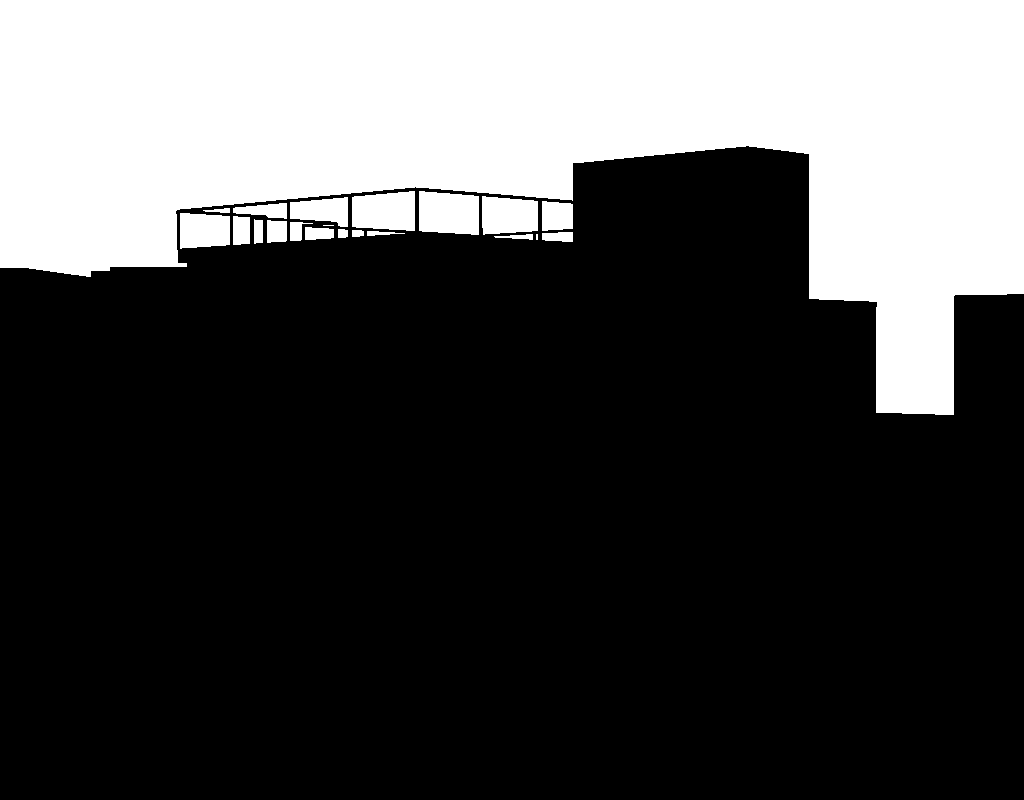


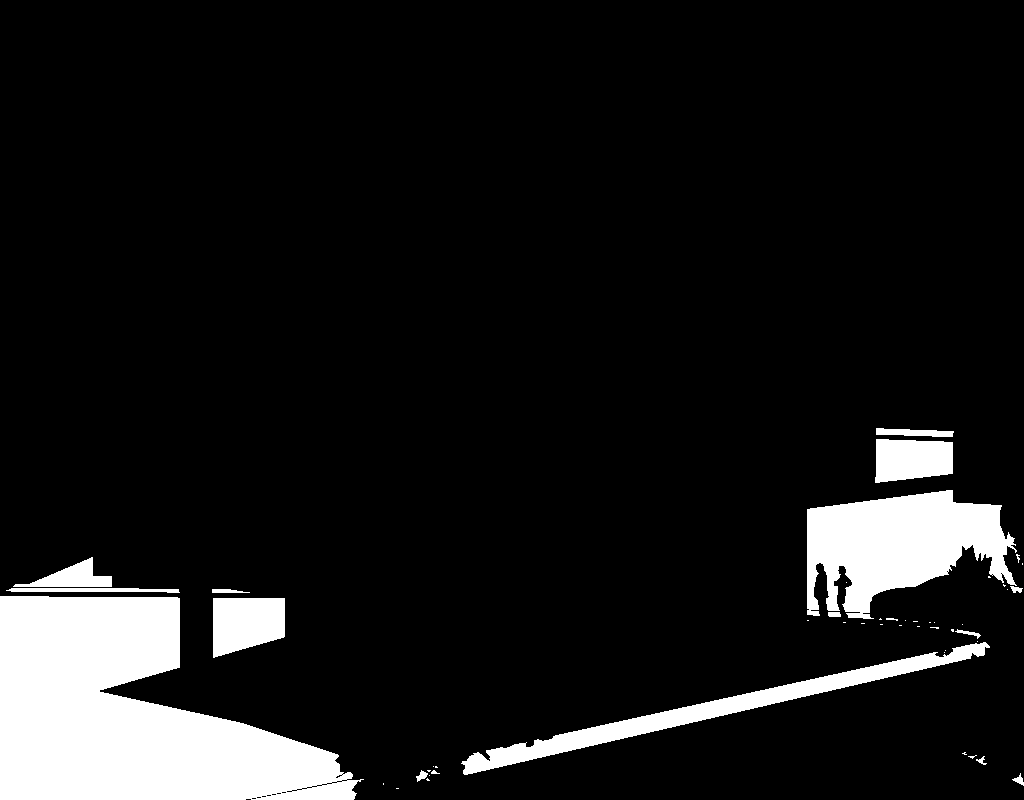

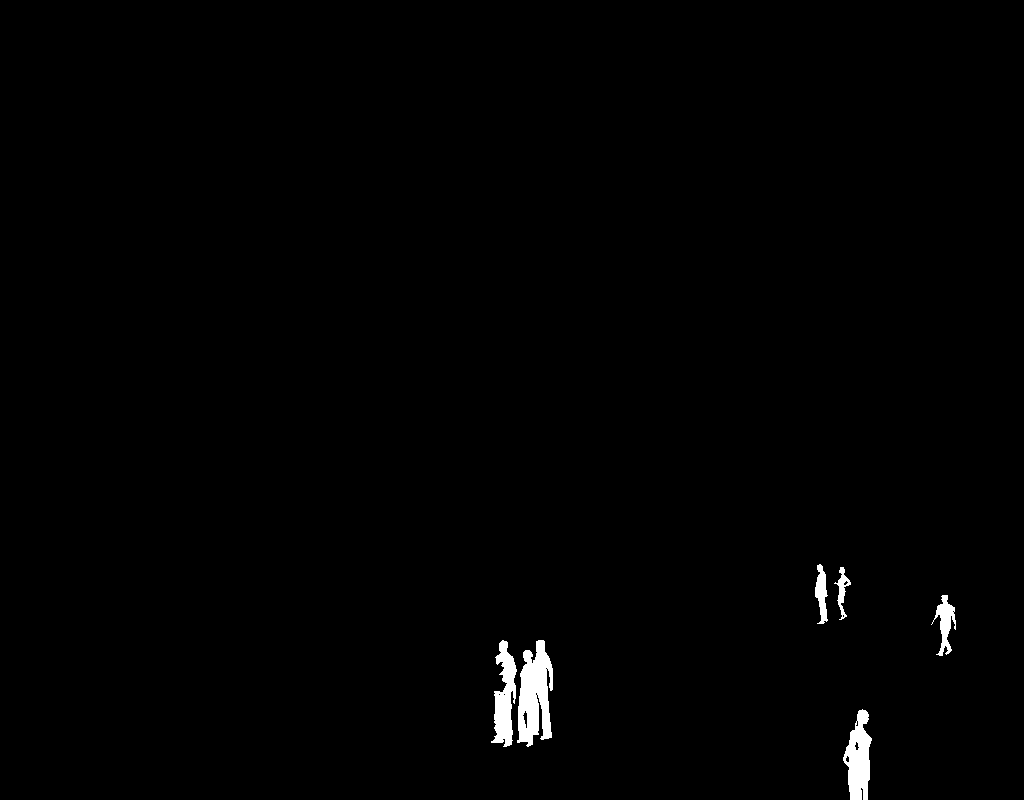
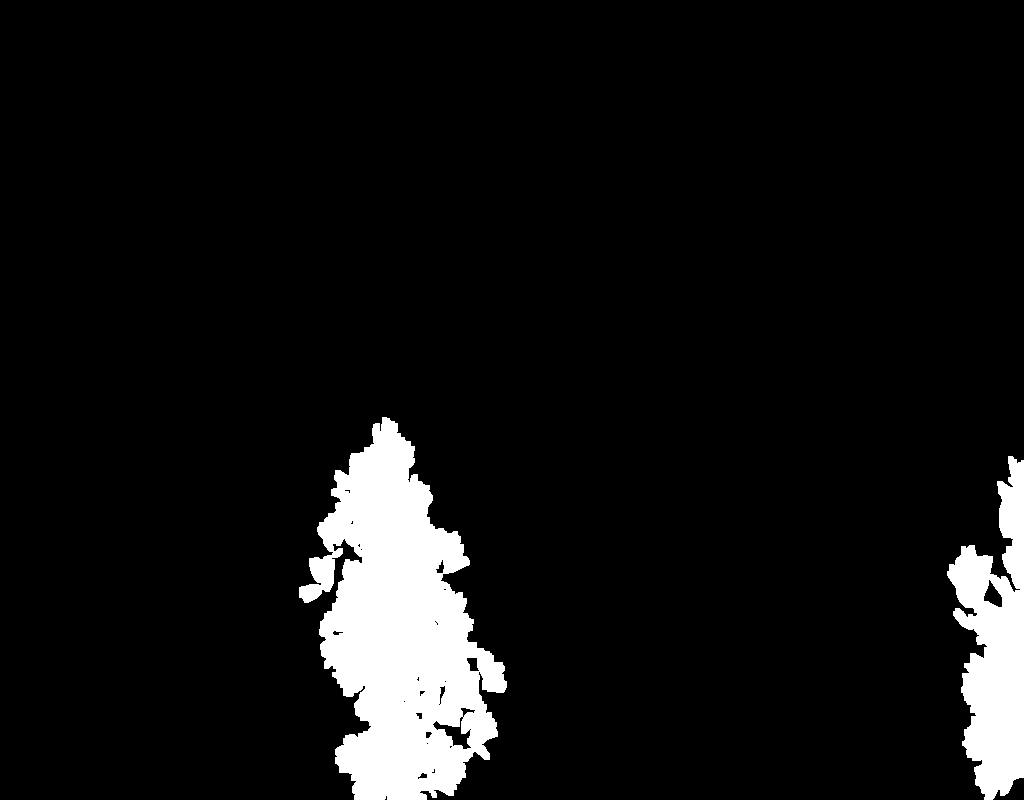 Masked images
The last stage uses
StableDiffusionXLImg2ImgPipeline to refine the overall image and improve the realism of the rendered image.
This refinement process focuses on improving image quality through resolution and detail enhancement.
It adjusts lighting and shadows to create more natural effects,
ensures consistent material appearance across building surfaces,
and fine-tunes architectural details to maintain design accuracy.
These refinement steps work to produce a final visualization that is both architecturally accurate and visually realistic.
    class EndpointHandler(configs.Configurations, EndpointHandlerHelper):
        def __init__(self, path="", save_config_path=None, existing_config_path=None):

            self.path = path
            self.save_config_path = save_config_path
            self.existing_config_path = existing_config_path

            (...)

        def __call__(self, data):

            (...)

            with torch.inference_mode():
                logging.info("##################################### Generating Image ...")
                generated_image = self.pipeline(
                    image=image,
                    generator=generator,
                    prompt=self.prompt_positive_base.replace("<>", data["prompt_material"]),
                    negative_prompt=self.prompt_negative,
                    num_inference_steps=self.num_inference_steps,
                    guidance_scale=self.guidance_scale,
                    controlnet_conditioning_scale=self.controlnet_conditioning_scale,
                ).images[0]

                self._cleanup()

                logging.info("##################################### Inpainting Image ...")
                for order in self.inpainting_order:
                    generated_image = self._inpaint(
                        generator=generator,
                        image_to_inpaint=generated_image,
                        material_image=material_image,
                        canny_image=canny_image,
                        size=base_image.size,
                        order=order,
                        data=data,
                        configs=copy.deepcopy(self.inpainting_configs),
                    )

                    self._cleanup()

                logging.info("##################################### Refining Image ... ")
                generated_image = self.refine_pipeline(
                    image=generated_image,
                    prompt=self.refining_prompt_positive,
                    prompt_negative=self.refining_prompt_negative,
                    num_inference_steps=int(self.refining_num_inference_steps / self.refining_strength),
                    guidance_scale=self.refining_guidance_scale,
                    strength=self.refining_strength,
                    generator=generator,
                    aesthetic_score=self.refining_aesthetic_score,
                    negative_aesthetic_score=self.refining_negative_aesthetic_score,
                ).images[0]

                self._cleanup()

            buffered = BytesIO()
            generated_image.save(buffered, format="PNG")
            img_base64 = base64.b64encode(buffered.getvalue()).decode("utf-8")

            if self.save_config_path is not None:
                self._save_config(seed, self.save_config_path)

            logging.info("##################################### Image generation is completed! ")

            return {"res": img_base64, "error": None}
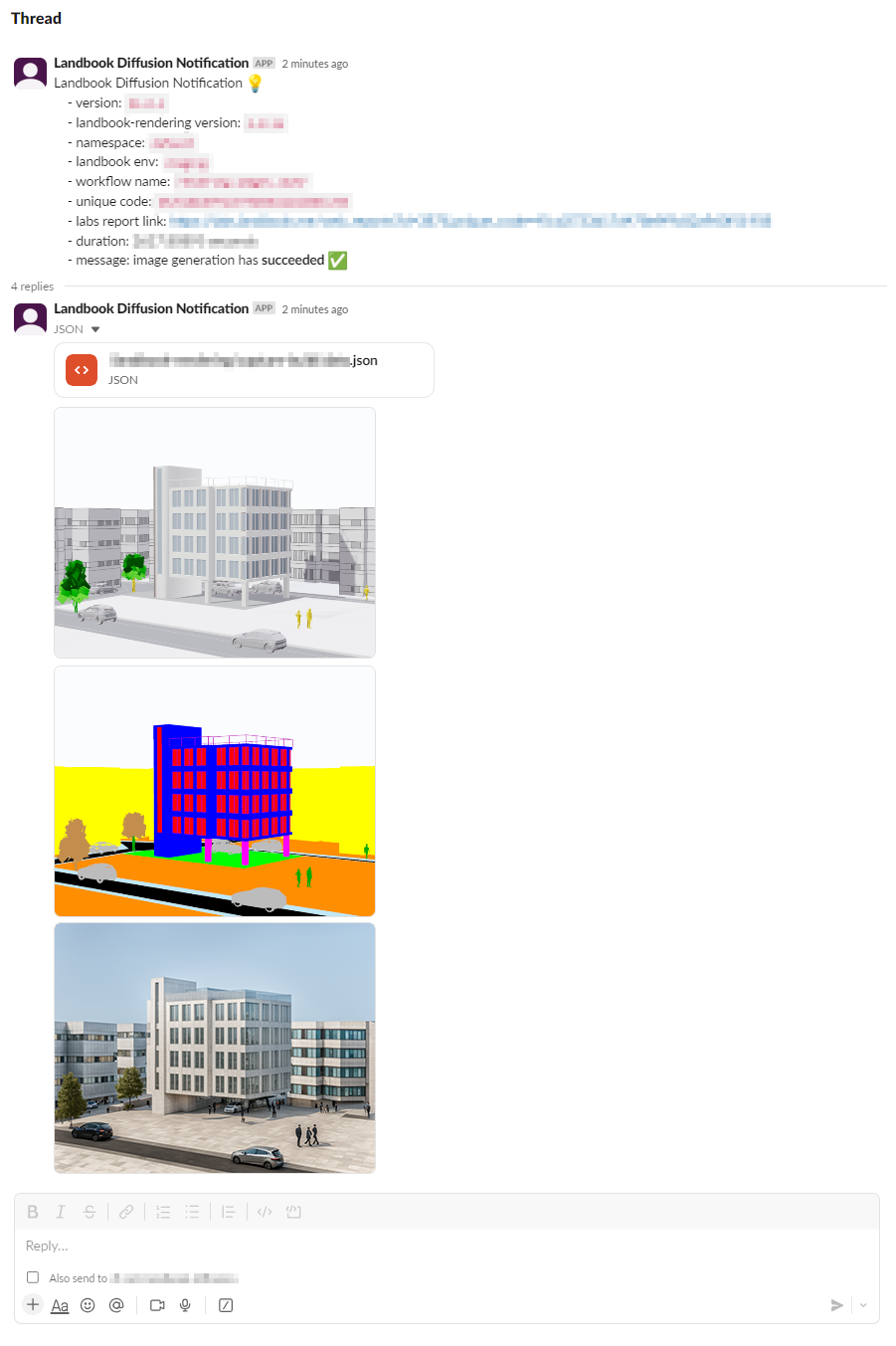
The pipeline integrates with Slack to provide immediate notifications about rendering jobs,
including success and failure status, performance metrics, and links to detailed reports.
This allows the team to quickly identify and address any issues with generated image quality that arise during production.
    def send_slack_notification(build_request_logs_unique_code: str, duration: float, ok: bool = True):

        client = WebClient(token=SLACK_TOKEN)

        with open(os.path.join(current_directory, "landbook-rendering", "package.json")) as f:
            package_json = json.load(f)
            landbook_rendering_version = package_json["version"]

        # Message to notify
        report_link = f"https://####.########.##/###_#######?##=###&######_####={build_request_logs_unique_code}"
        message = f"""Landbook Diffusion Notification 💡
        - version: `{RENDERER_VERSION}`
        - landbook-rendering version: `{landbook_rendering_version}`
        - namespace: `{NAMESPACE}`
        - landbook env: `{LANDBOOK_ENV}`
        - workflow name: `{WORKFLOW_NAME}`
        - unique code: `{UNIQUE_CODE}`
        - labs report link: {report_link}
        - duration: {duration:.5f} seconds
        - message: image generation has {"*succeeded* ✅" if ok else "*failed* ❌"}
        """

        (...)

        # Send the used json data
        json_path = os.path.join(current_directory, "########-#########/#######-#####/####.json")
        with open(json_path, "rb") as f:
            client.files_upload_v2(
                channels=channel_id,
                file=f,
                thread_ts=message_response["ts"],
                title=json_path,
                filename=json_path
            )

        (...)

        # Send the images
        for image_path in image_paths:
            with open(image_path, "rb") as f:
                client.files_upload_v2(
                    channels=channel_id,
                    file=f,
                    thread_ts=message_response["ts"],
                    title=image_path,
                    filename=image_path
                )
While the current pipeline generates realistic architectural rendering images, there are several areas for improvement and future development:
-
Material Diversity Enhancement: The system can be improved to handle more diverse surrounding building facade textures and materials, along with better material interaction and weathering effects to create more realistic environmental contexts.
-
Sky Condition Variations: Future development can include different times of day, various weather effects and cloud patterns, and atmospheric conditions to provide more visualization options.
-
Road Detail Improvements: The pipeline can be improved to generate more detailed road surfaces, including different pavement types, road markings, surface wear patterns, and better integration with surrounding elements.